 Elephants
Find the right migration path before moving data
Practical instructions for Gmail, Google Workspace, Microsoft 365, OneDrive, Google Drive, Google Photos, Zoho, Rediffmail and IMAP.
A controlled migration pipeline—not permanent data storage.
Choose a guide by workload or provider
Start with the complete guide or open the exact source-to-destination route you need.
Free email and cloud data migration guide
One complete walkthrough covering email, OneDrive, Google Drive, Google Photos, Rediffmail, Zoho Mail and Zoho WorkDrive.
Read guideEmail migration tool
Compare Gmail, Zoho Mail, Rediffmail, IMAP and Microsoft 365 mailbox migration routes.
Read guideMicrosoft 365 migration tool
Plan destination readiness, mappings, preflight and monitored transfer into Microsoft 365.
Read guideOneDrive migration tool
Move supported Google Drive or Microsoft 365 cloud files into mapped OneDrive accounts.
Read guideGoogle Workspace to Microsoft 365
Coordinate Gmail, Drive, contacts, calendars and complete-library Google Photos projects.
Read guideGmail to Microsoft 365
Move selected Gmail mailboxes with checkpoints, retries and reconciliation evidence.
Read guideGoogle Drive to OneDrive
Copy mapped users' files into provisioned OneDrive destinations with durable progress tracking.
Read guideGoogle Photos to OneDrive
Use a complete Google Takeout export to create browsable Photos folders in OneDrive.
Read guideIMAP to Microsoft 365
Prepare a compatible hosted mailbox for authenticated and monitored transfer into Microsoft 365.
Read guideRediffmail email migration
Check compatible authenticated access, map Rediffmail users and validate email transferred to Microsoft 365.
Read guideArchive mailbox migration
Inventory online archives and local files, confirm route support and prepare destination capacity.
Read guideZoho Mail to Microsoft 365
Connect, map and prepare selected Zoho mailboxes for a controlled move into Exchange Online.
Read guideMicrosoft 365 tenant to tenant
Plan tenant consolidation with explicit identity, workload, permission and cutover boundaries.
Read guideEmail migration checklist
Plan scope, access, destination readiness, pilot, communication, cutover and acceptance.
Read guideValidate a mailbox migration
Reconcile expected scope, transferred items, exceptions and the final latest-changes pass.
Read guideFour decisions every migration needs
Choose a route
Confirm the source, destination and supported workload.
Prepare access
Check permissions, licensing, quotas and destination accounts.
Map resources
Connect each selected source user to an explicit destination.
Pilot and verify
Migrate a representative sample and review the evidence.
From source authentication to migration results
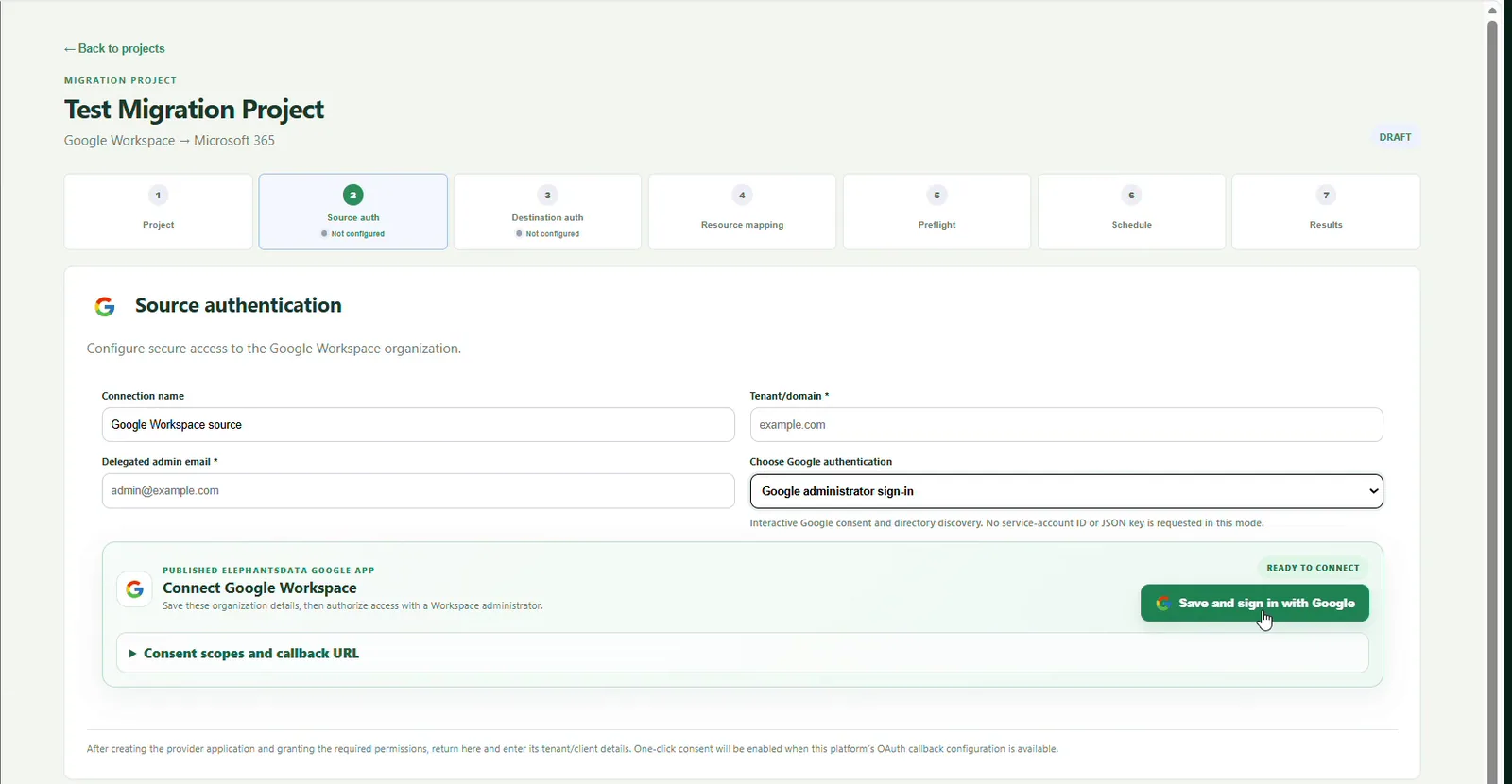
ElephantsData guides operators through project setup, source and destination authentication, resource mapping, preflight, scheduling and results. Only selected users and workloads enter a migration batch.
- Explicit user and resource mapping
- Readiness findings before transfer
- Checkpoints, retries and per-user progress
- Reconciliation reports and exceptions
Supported does not mean identical at the destination
Provider licensing, API limits, permissions, destination quotas and tenant policies still apply. Native metadata, links, sharing models, email rules or photo albums may need separate treatment depending on the route.
- Review reconciliation and exceptions.
- Ask pilot users to verify the destination.
- Keep an independent backup.
- Complete a latest-changes pass when supported.
Start with a small, controlled migration
Choose a guide, prepare both sides and validate a pilot before expanding the batch.